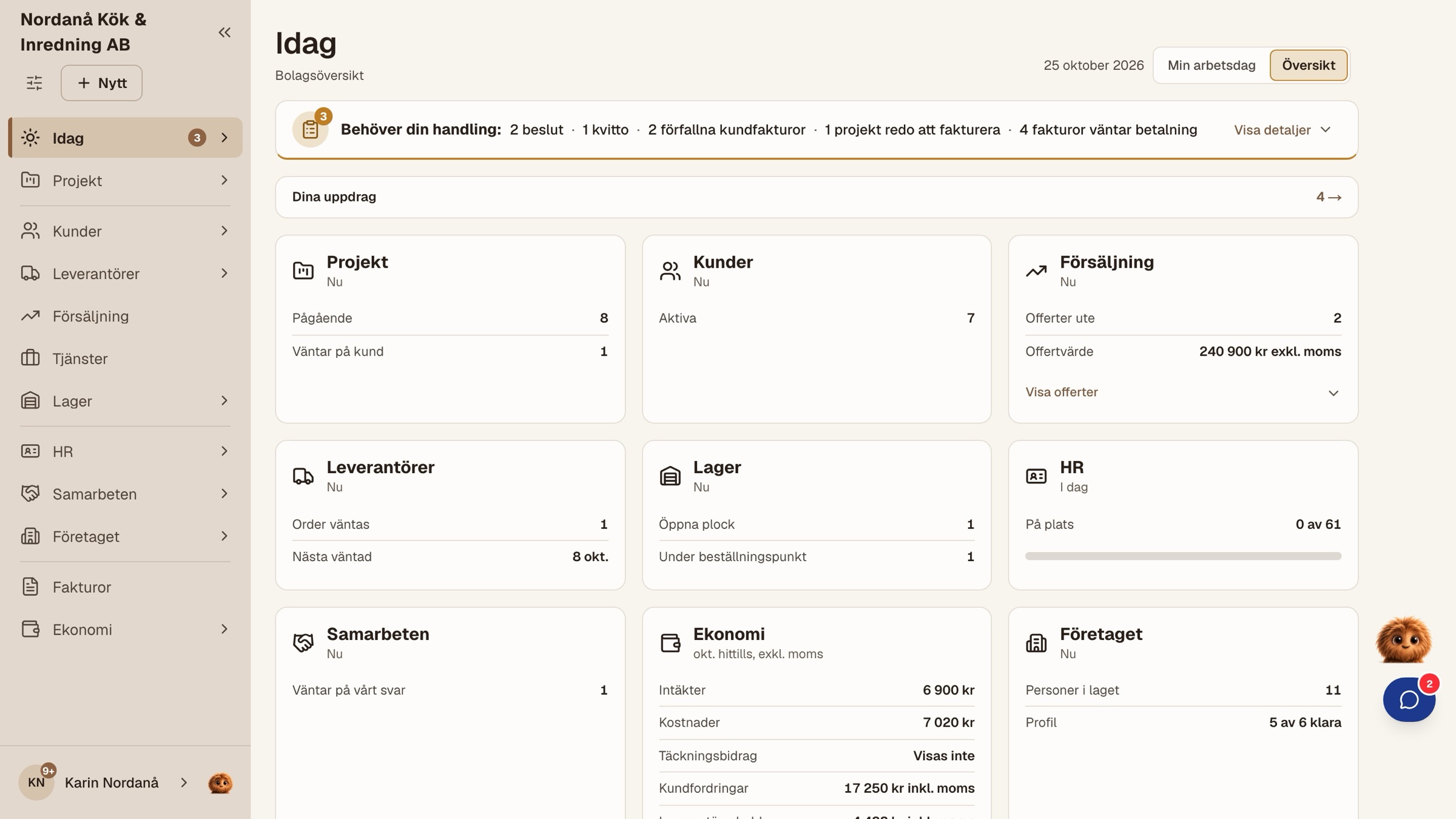
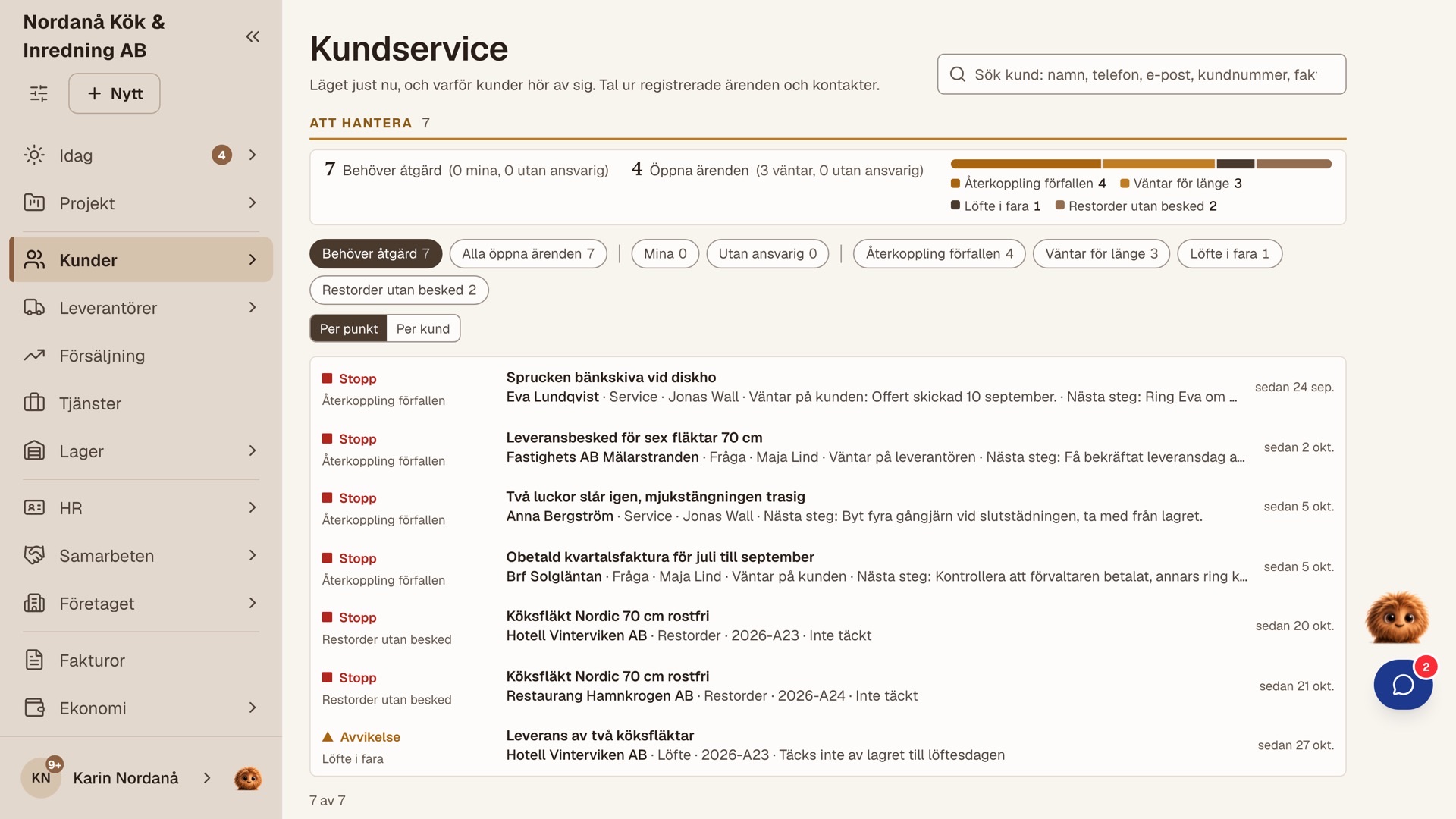

Enquiries come by phone, from the website or from a returning customer. You give the price as a quote via link or record an agreement made by phone, and the customer's reply is saved on the deal. Ongoing agreements and payment plans are set up in the same step, and the next similar job can start from an earlier setup.
What you can do in SAEFUR.
Search for something you do in your work, such as sending a quote, reporting time or planning holidays, and see how SAEFUR helps. Below the search you can see how the work fits together when you run the business yourself, when you share the work or when several departments work together.
Try a word from your work
I run the company on my own
Your working day, in one place.
You take the enquiry, give the price, do the job, send the invoice and hand the period over to the accounting firm. SAEFUR follows the same order: each piece of information is recorded once, where it arises, and carries over to the next step. That applies equally to a trade job, a service, a delivery of goods or an ongoing agreement.
Who: You, the customer, the accounting firm and the companies you hire.
From enquiry to invoice
From receipt to the period's records
- You photograph the receipt straight away and allocate the cost when you have time.
- You see the margin on the job while it is in progress.
- You follow the month's results while the month is in progress.
- The period is handed over as an SIE4 file (Swedish standard file for accounting data), and you see in advance what needs to be completed.
Area by area
- Win the jobThe customer's yes is saved on the deal.Quote via link · Ongoing agreements · Payment plan
- CustomersWhat you promised on the phone is still there tomorrow.Customer history · Promises with dates · Customer cases
- Do the jobThe work and the records go together.Today · Time and materials · Changes and additions
- Industry requirements in the jobThe requirements are part of the work where they apply.Rule packages · Measurements and sign-off · Collected documentation
- Materials, purchasing and goodsPurchasing, warehouse and delivery are connected.Receipts · Supplier invoices · Stock balance
- Get paidInvoice and follow the payment.Invoice without a project · Swish · Reminders
- The customer follows and repliesThe customer replies via a link, without an account.Tracking link · The customer's standing link · Client account
- Finances and recordsFollow the finances and hand over the period's records.Finance view · Results per month · SIE4
- Bring in another companyThe subcontractor works in their own SAEFUR.Jobs between companies · Approve the work · Collaboration invoice
- On your phone, in your languageStart simple and go deeper when you need to.Login · Home screen · Help centre
- Ready when you growThe same system the day you hire.Employment · Permissions · Payroll data
What your partner does, with records from SAEFUR
- Year-end closing, general ledger and tax return The accounting firm. SAEFUR provides an SIE4 file and a read-only seat.
- Payroll run, employer declaration and tax The payroll partner. SAEFUR provides the payroll data.
- Cash register and counter sales Handled in a separate till system.
- Personalliggare (staff register) at the construction site The client's system.
Win the job
The customer's yes is saved on the deal.
Who: You and the customer.
Leads on to Customers · Do the job · The customer follows and replies
Customers
What you promised on the phone is still there tomorrow.
Who: You and the customer.
Leads on to Win the job · Get paid · The customer follows and replies
The customer card shows what is waiting at the top: a quote awaiting a reply, an unpaid invoice, a promise with a date. Calls and cases are logged where they happen, and the full history is in one place when the customer gets in touch. The day you bring in a colleague, they can take over with the same records.
Do the job
The work and the records go together.
Who: You, and the customer who approves.
Leads on to Industry requirements in the job · Materials, purchasing and goods · Get paid
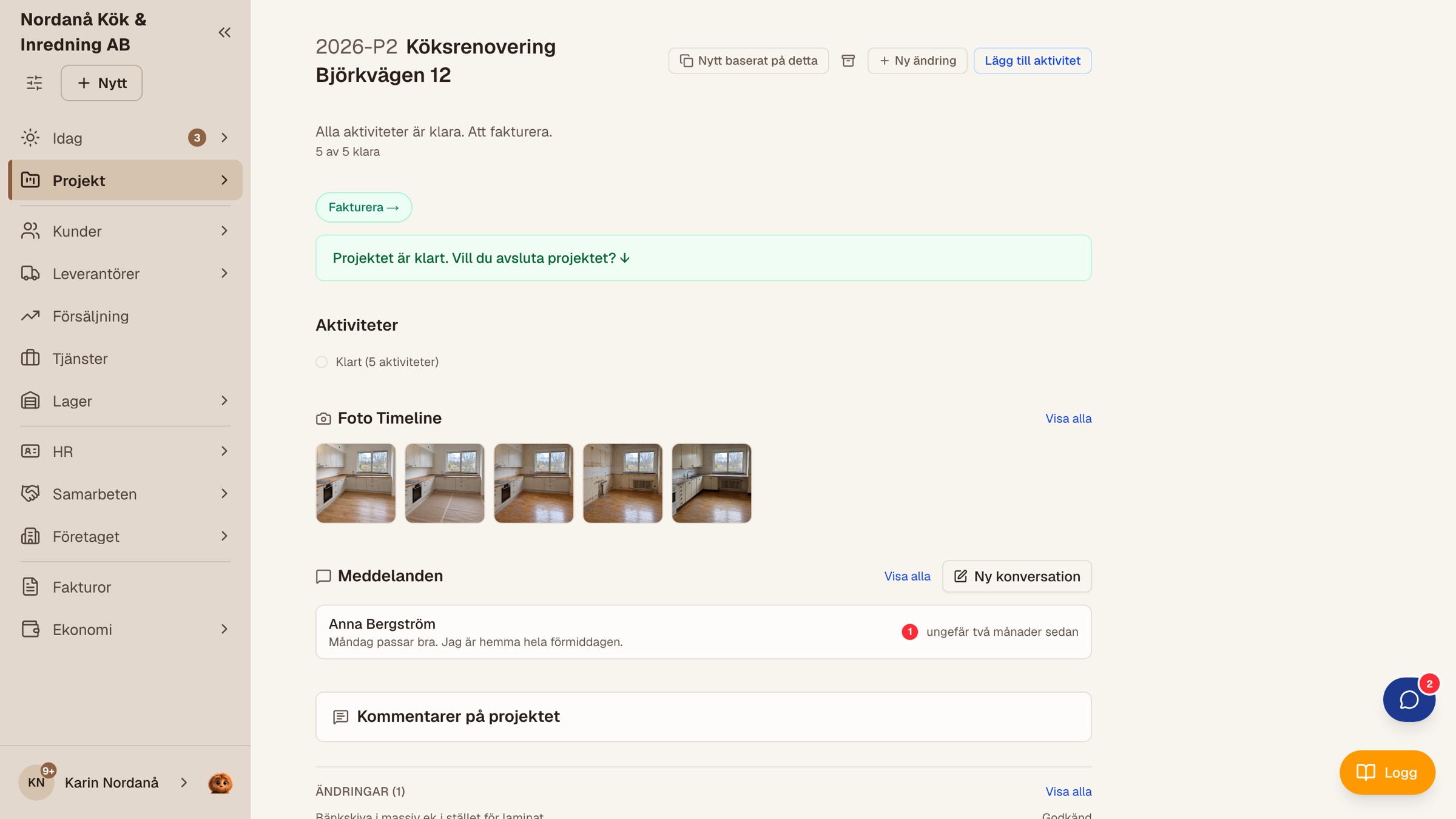
Today shows what is waiting. Time, travel, materials and photos are recorded on the job on your phone while you are on site. You mark the work as done, and when the customer needs to approve, it happens via the link. Changes and additions get a price and a decision as they arise.
On site
Setup and finances
Industry requirements in the job
The requirements are part of the work where they apply.
Who: You and the customer.
Leads on to Do the job · The customer follows and replies
If you work in plumbing (VVS) or electrical, the company can adopt a rule package for Säker Vatten or electrical installation. The requirements are linked to the work where they apply, measurements and sign-off are recorded on site, and the collected documentation can be given to the customer as a PDF. SAEFUR documents, and the assessment is made by you as the authorised person.
Materials, purchasing and goods
Purchasing, warehouse and delivery are connected.
Who: You, the supplier and the customer who receives the goods.
Leads on to Do the job · Get paid · Finances and records
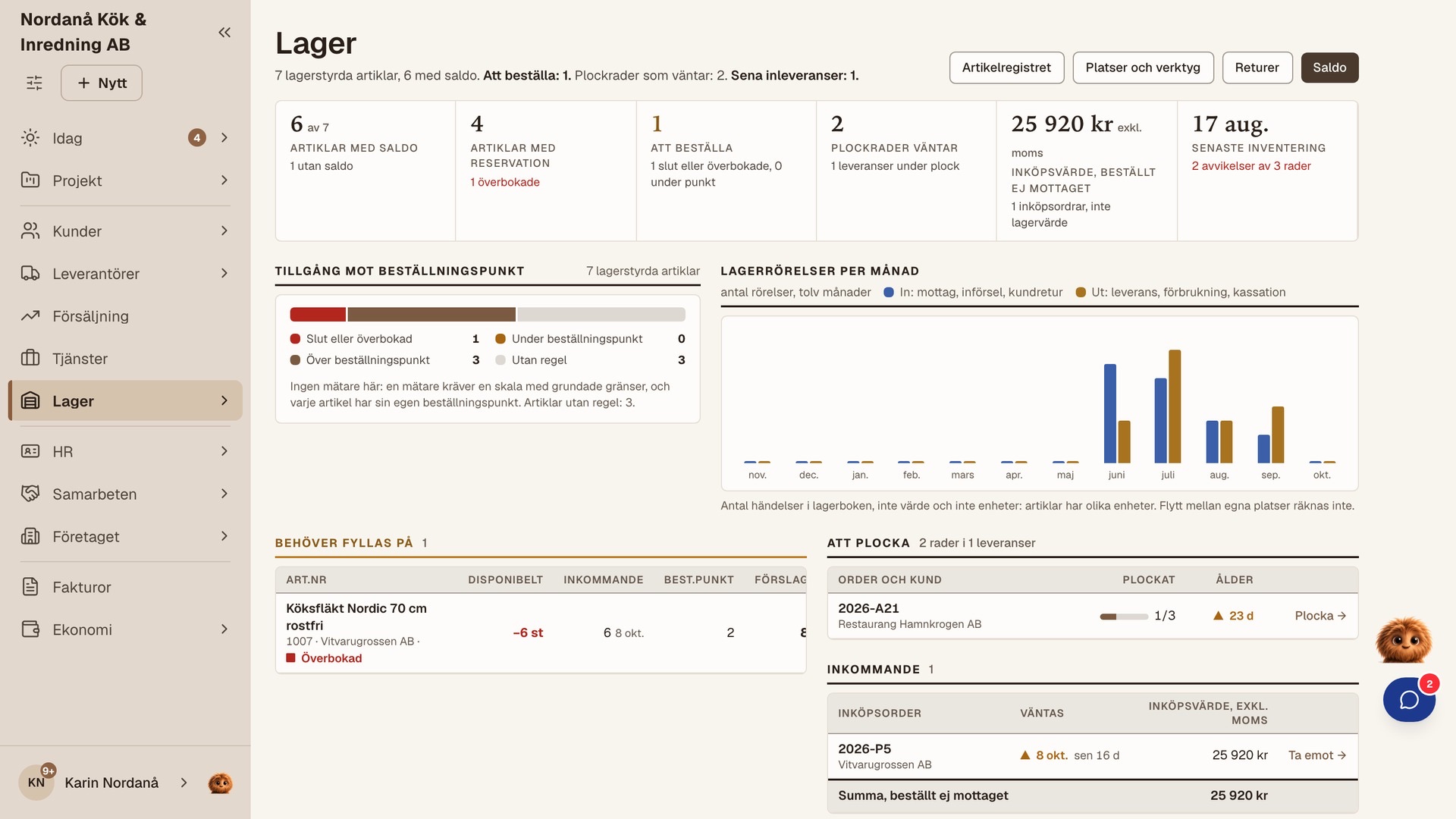
The receipt is photographed when you have it and allocated later, and the supplier invoice is matched against the order. If you sell goods, items, orders, stock balance and delivery are connected. The service van can be its own storage location, in the same way as the storeroom or the shelf in the shop.
Purchasing and receipts
Items, warehouse and delivery
Get paid
Invoice and follow the payment.
Who: You and the customer.
Leads on to Finances and records · Customers · The customer follows and replies
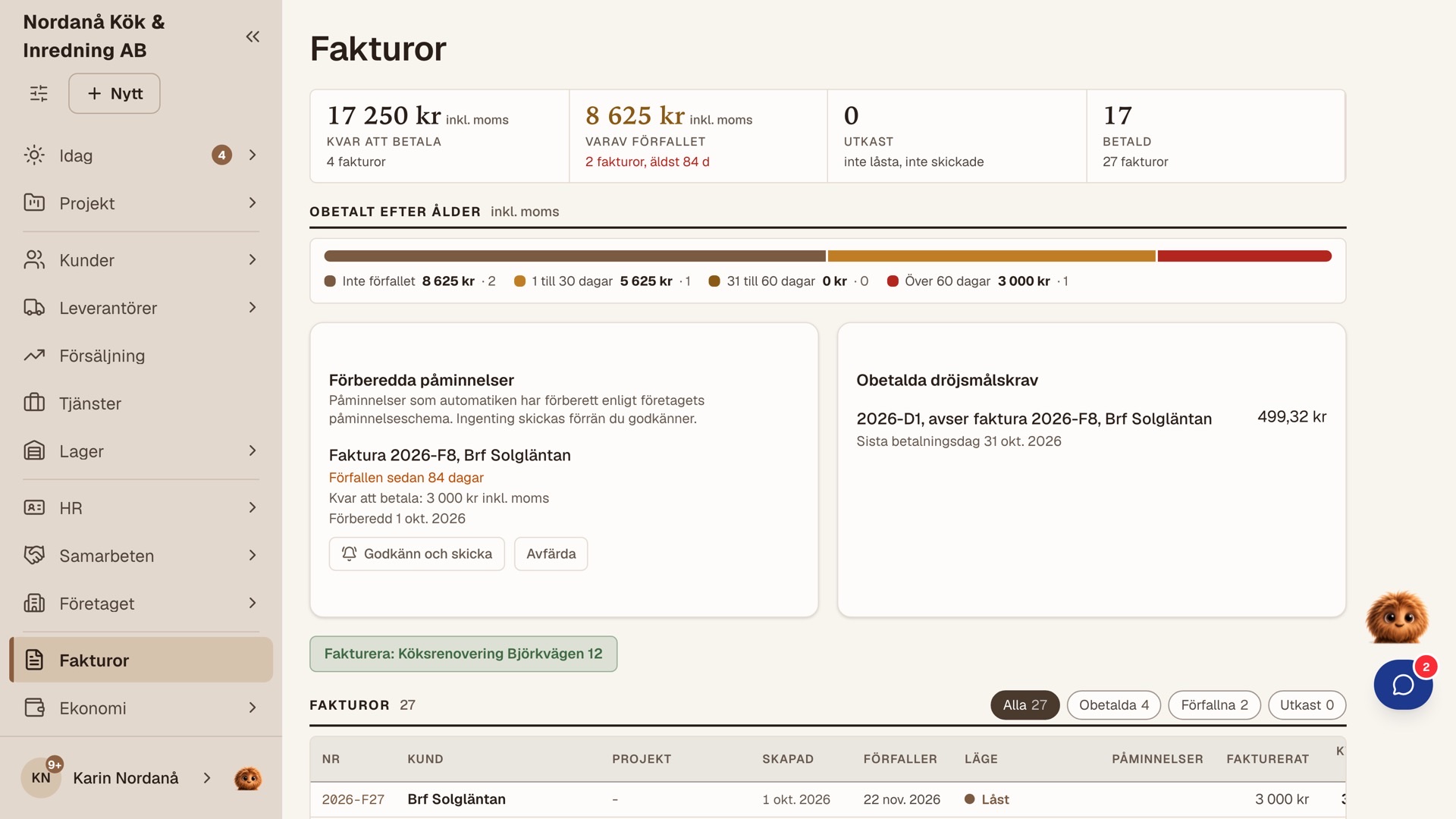
The invoice is based on the deal's records: work carried out, a delivery or a period in an ongoing agreement. The system helps with number series, VAT, ROT records and late payment interest based on the deal's details. The customer pays with Swish via the invoice or the link, and the reminder is kept ready until you approve it.
The invoice
Payment and follow-up
The customer follows and replies
The customer replies via a link, without an account.
Who: The customer.
Leads on to Win the job · Do the job · Get paid
The customer gets a link to everything about their own deal: the quote, the work with photos, the agreement and the invoice. There the customer replies, approves and pays, or writes to you. If the customer is renovating their home, they can follow the work step by step via the link. An association, property manager or company can also have its own client account. Your costs and notes stay with you.
Finances and records
Follow the finances and hand over the period's records.
Who: You and the accounting firm.
Leads on to Get paid · Materials, purchasing and goods
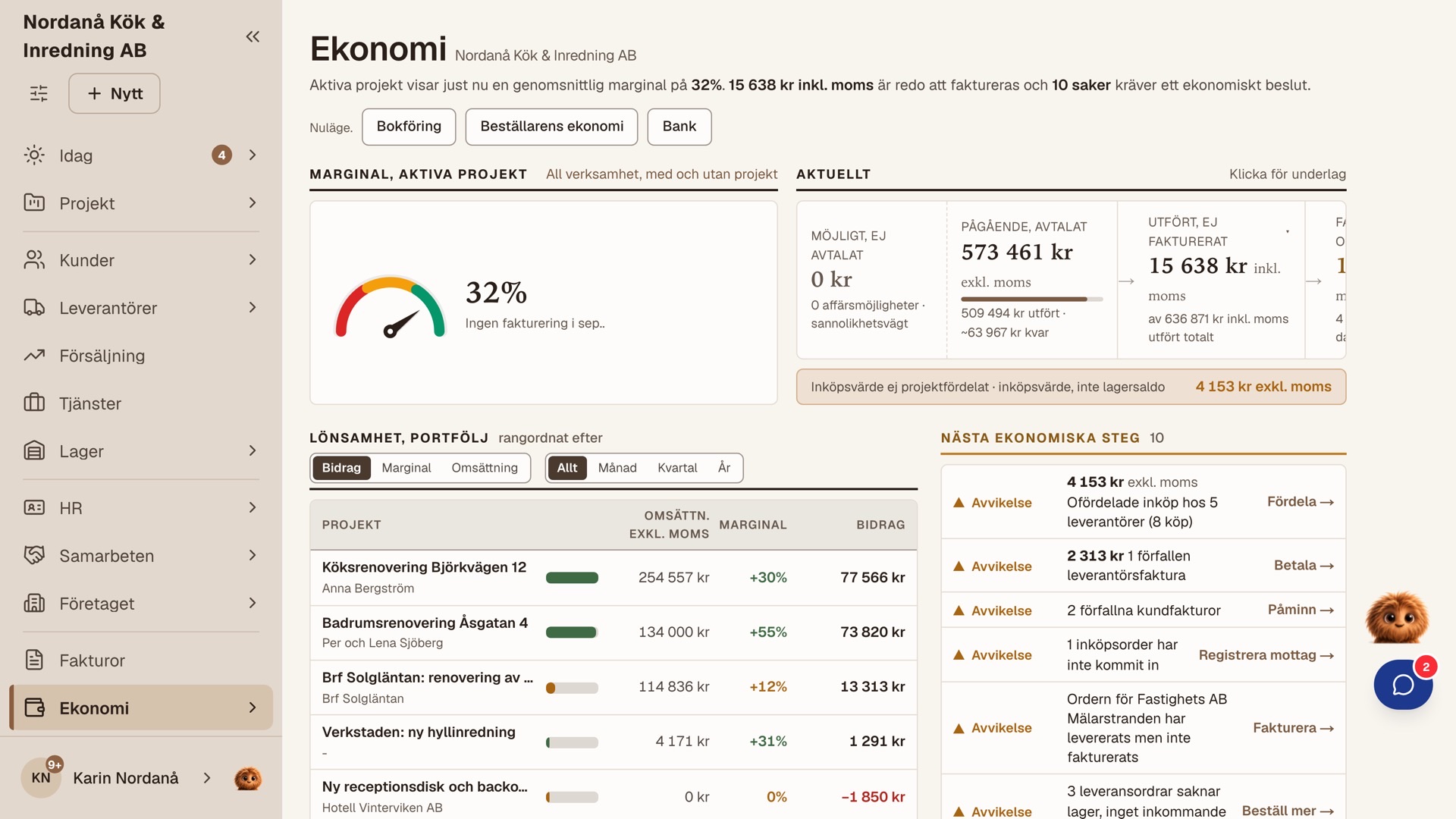
The finance view highlights what needs following up: work carried out that is still to be invoiced, a receipt waiting to be allocated, a margin that has fallen. The month's results are visible while the month is in progress. The period is handed over as an SIE4 file to the accounting firm, which collects it from its read-only seat.
Bring in another company
The subcontractor works in their own SAEFUR.
Who: You and the hired company.
Leads on to Do the job · Materials, purchasing and goods
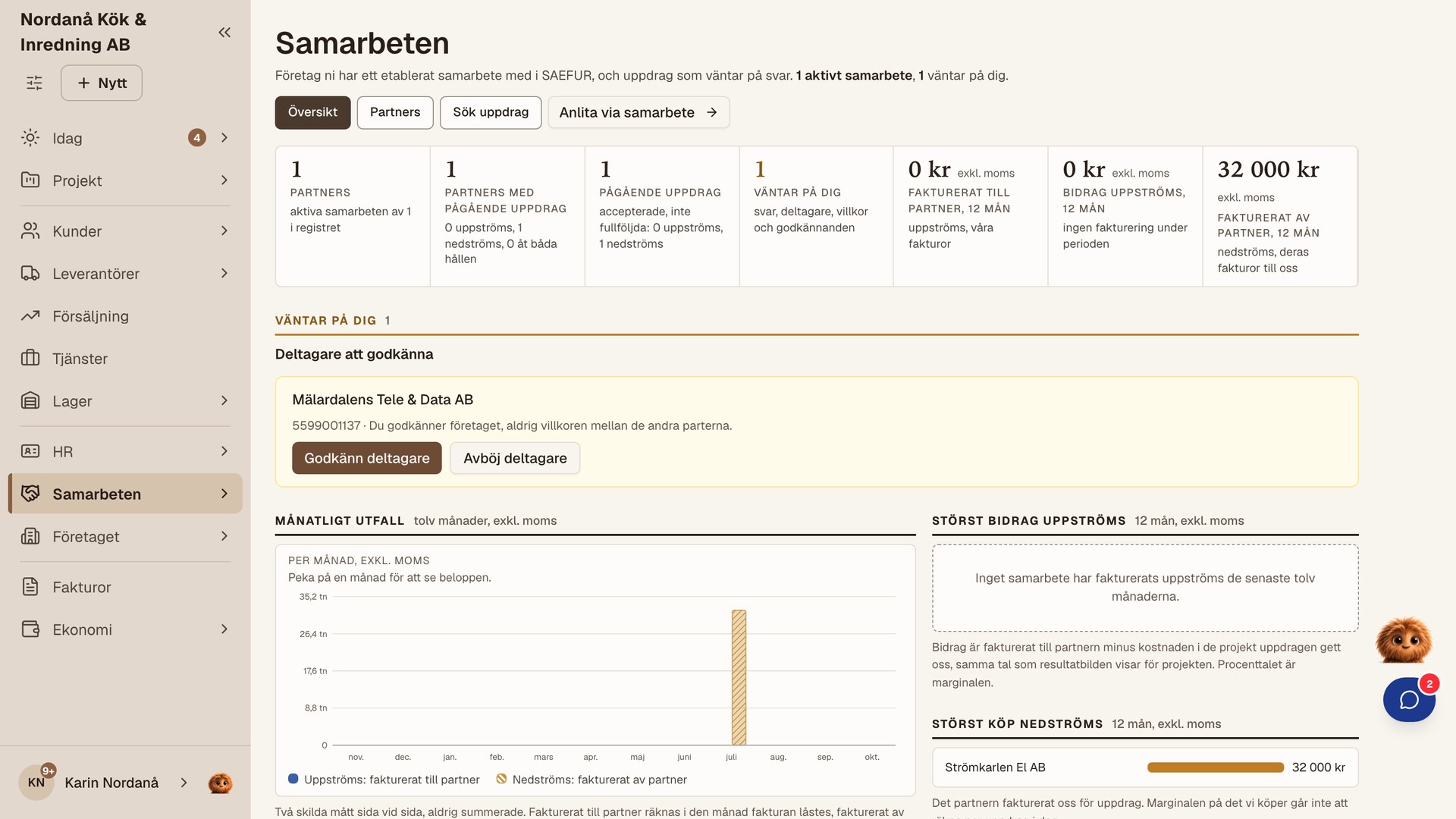
If you need an electrician on a job, you assign the work to a company that also uses SAEFUR. They receive the job and the agreement in their own business, you approve the finished work, and their invoice arrives as a supplier invoice with you. The job is recorded once for both companies.
On your phone, in your language
Start simple and go deeper when you need to.
Who: You.
Leads on to Do the job
You log in with BankID, email or a passkey with Face ID or Touch ID, and can add SAEFUR to your phone's home screen. You start with the areas you need, and the menu shows more as the business uses them. Help is built into the product, with getting-started guides and the help character Mini.
Ready when you grow
The same system the day you hire.
Who: You, the employee and the payroll partner.
Leads on to Do the job · Finances and records
The first employee gets an account, reports their own time and gets the permissions you give. You can hand over customer responsibility or a job while keeping track of the whole. The payroll data goes to the payroll partner every month, and the menu shows the HR section when you start using it.
The employee
Shared responsibility
We share the work
Shared responsibility. Common records.
Someone sells and leads, colleagues carry out the work and someone handles invoices and finances, often alongside other things. In many companies the owner still does a lot themselves. SAEFUR helps you hand over: what was promised to the customer, who approved the work and what is to be invoiced is gathered where the next person needs it.
Who: The person who sells and leads, those who carry out the work, the person who handles the finances, the customer and the accounting firm.
From quote to approved work
- The salesperson sends the quote as a link, and the customer's reply is saved on the deal.
- The site supervisor assigns the job, and the worker sees it on their Today.
- The worker records time, materials and photos on site on the phone.
- The worker marks the work as done, and the customer approves via their link.
From approved work to invoice and payroll
Area by area
- Sell and quoteThe colleague who takes over the deal sees what has been promised.Business opportunities · Quote via link · Customer-specific prices
- Customers and customer serviceThe same answer, whoever replies.Customer status · Contact log · Delivery notice
- Plan and assign the workSee, assign and change who does what.Assignment · Schedule · ÄTA
- Out on the jobRecord on site, on the phone.Time and travel · Photos · Obstacles
- Industry requirements and documentationThe requirements are part of the work where they apply.Rule packages · Authorisations · Collected documentation
- Materials, purchasing and warehouseFollow the purchase from order to use.Purchase order · Stock balance · Picking and delivery
- Invoicing and financesThe records help whoever takes over the invoicing.Invoicing · Payments · SIE4
- The employeesMore employees. The same order.Employments · Absence · Payroll data
- The customer takes partThe customer follows and replies via links.Tracking link · The customer's standing link · Delivery receipt
- Subcontractors and collaborationsTwo companies, one job.Jobs between companies · Approve the work · Permission to hire
- Login, language and helpStart simple and go deeper when you need to.Login · Language · Help centre
What your partner does, with records from SAEFUR
- Year-end closing, general ledger and tax return The accounting firm. SAEFUR provides an SIE4 file and a read-only seat.
- Payroll run, employer declaration and tax The payroll partner. SAEFUR provides the payroll data.
- Cash register and counter sales Handled in a separate till system.
- Personalliggare (staff register) at the construction site The client's system.
Sell and quote
The colleague who takes over the deal sees what has been promised.
Who: The person who sells, and the customer.
Leads on to Customers and customer service · Plan and assign the work · Invoicing and finances
Enquiries are gathered as business opportunities with an owner and a next step, so that a colleague can take over the deal with the same records. The quote is sent as a link, the customer replies without an account, and the accepted quote becomes the agreement that the work and the invoice are based on. Customer-specific prices, ongoing agreements and payment plans belong to the same deal.
New deals
Quote and agreement
Customers and customer service
The same answer, whoever replies.
Who: The person who answers the customer, the salesperson and the owner.
Leads on to Sell and quote · Invoicing and finances · The customer takes part
Whoever answers the phone sees the customer's status at the top of the customer card: the quote awaiting a reply, the job in progress, the invoice that is waiting. Calls and promises are logged where they happen, so that a colleague can continue where the last call ended. Customers waiting for news about a back order are highlighted, so that you can get in touch first.
Plan and assign the work
See, assign and change who does what.
Who: The person who leads the work, and the owner.
Leads on to Out on the job · Industry requirements and documentation · Invoicing and finances
The site supervisor sets up the project from a template, plans the order and assigns activities. Everyone sees their jobs on Today, and the plan can change when the day changes. Changes and additional work (ÄTA) get a price and a decision, and whoever has permission follows the margin while the work is in progress.
Out on the job
Record on site, on the phone.
Who: Those who carry out the work.
Leads on to Plan and assign the work · Industry requirements and documentation · Materials, purchasing and warehouse
The worker starts the journey, starts the timer and adds materials to the job as it happens. Photos are taken in the same view, the receipt is photographed straight away, and an obstacle is recorded with a reason so that the site supervisor is informed. The time on the job becomes the basis for the invoice, and attendance and absence in the employment are reported separately.
Industry requirements and documentation
The requirements are part of the work where they apply.
Who: The person who carries out, the person who leads and the customer.
Leads on to Out on the job · Plan and assign the work · The customer takes part
With a rule package for Säker Vatten or electrical installation, the requirements are linked to the work where they apply, and who is authorised is documented at assignment. Measurements, sign-off and deviations are recorded on site and collected in a PDF the customer can read. SAEFUR documents, and the assessment is made by the authorised person.
Materials, purchasing and warehouse
Follow the purchase from order to use.
Who: The person who buys, the person who runs the warehouse and the salesperson.
Leads on to Out on the job · Invoicing and finances · The customer takes part
The buyer places the purchase order, receives the goods and matches the supplier invoice line by line. The cost can be assigned to a project or remain a general purchase. If you sell goods, items, orders, storage locations, picking and delivery are connected, and the salesperson and the warehouse see the same balance.
Purchasing
Items, warehouse and delivery
Invoicing and finances
The records help whoever takes over the invoicing.
Who: The person who handles the finances, the owner and the accounting firm.
Leads on to The employees · Materials, purchasing and warehouse · The customer takes part
The person who handles the finances invoices from work carried out, recorded deliveries and ongoing agreements, with the records gathered on the deal. Payments, reminders and demands are followed up in one place. The finance view shows the next step, and the period is handed over to the accounting firm as an SIE4 file with what needs completing marked in advance.
Invoice
Payment and follow-up
Finances and the accounting firm
The employees
More employees. The same order.
Who: The person responsible for HR, the employees and the payroll partner.
Leads on to Invoicing and finances · Plan and assign the work
The person responsible for HR sets up employments, terms and documents on the person, protected by explicit permissions. Everyone reports attendance, absence and expenses on their own page, and the month's payroll data goes to the payroll partner. When someone leaves the company, access to the company's information is ended in one step.
The customer takes part
The customer follows and replies via links.
Who: The customer.
Leads on to Sell and quote · Out on the job · Invoicing and finances
The customer gets links to everything about their own deal, and each link has its purpose: the quote link for the reply, the tracking link for the work and the invoice link for payment. The customer's standing link gathers orders, agreements and invoices. Internal costs, notes and margins stay with you.
Subcontractors and collaborations
Two companies, one job.
Who: The person who leads, the person who handles the finances and the hired company.
Leads on to Plan and assign the work · Invoicing and finances
A subcontractor that also uses SAEFUR receives the job and the agreement in its own business, and the job is recorded once for both. You approve the finished work across company boundaries, and their invoice arrives as your supplier invoice with the cost on the right project. You decide per person who may hire.
Login, language and help
Start simple and go deeper when you need to.
Who: Everyone in the team.
Leads on to Out on the job · The employees
Everyone logs in in the same place, with BankID, email or passkey, and can add SAEFUR to their phone's home screen. Everyone works in their own language, and the menu shows the areas you use. Help is built into the product, with getting-started guides and the help character Mini. Lock screen notifications and translation of messages are planned for a later stage.
We have several departments
Each department its own part. The same information.
Sales, customer service, projects, warehouse, purchasing, finance and HR each have their own manager, often with their own heads and units. Each department gets the visibility and the authority its responsibility requires, and management can follow the whole. The same order, the same project and the same customer pass through the departments, so the records carry over from one to the next.
Who: Each department, management, the customer, your partners and the accounting firm.
From order to delivery and invoice, through three departments
From employment to payroll data
Area by area
- SalesFollow the deal from first contact to agreement.Forecast · Quote via link · Ongoing agreements
- Customer serviceThe same answer, whoever replies.Customer status · Customer cases · Delivery notice
- Projects and jobsFollow responsibility, quality and profitability while the work is in progress.Project templates · Two-step sign-off · Project finances
- Quality and industry requirementsDocumentation that supports whoever makes the assessment.Rule packages · Deviations · Collected documentation
- Warehouse and logisticsThe warehouse and the customer promise start from the same balance.Storage locations · Picking with scanning · Serial numbers
- PurchasingReconcile ordered, received and invoiced.Purchase order · Reconciliation · Approval
- FinanceDecisions during the month. Traceable records.Finance view · Reminders · SIE4
- HROne coherent way of working for whoever is responsible for HR.Employments · Leave requests · Organisation chart
- Management and permissionsShare out responsibility and follow the whole.Permissions · Four-eyes control · Multiple companies
- The customer and the clientPrivate individual, association or company follows their deal.Tracking link · Client account · Invoice link
- Subcontractors and partnersTwo companies, one job.Jobs between companies · Terms across several tiers · Collaboration invoice
- Language, login and helpEvery employee starts simple.Login · Language · Help centre
What your partner does, with records from SAEFUR
- Year-end closing, general ledger and tax return The accounting firm. SAEFUR provides an SIE4 file and a read-only seat.
- Payroll run, employer declaration and tax The payroll partner. SAEFUR provides the payroll data.
- Cash register and counter sales Handled in a separate till system.
- Personalliggare (staff register) at the construction site The client's system.
Sales
Follow the deal from first contact to agreement.
Who: Salespeople and sales manager.
Leads on to Customer service · Projects and jobs · Warehouse and logistics
Salespeople follow their customers and business opportunities with next step, estimated value and probability, and management gets a forecast ahead. The quote is sent as a link and the customer replies without an account. The agreement with customer-specific prices carries over into order and invoice, and ongoing agreements and payment plans belong to the same deal.
Deals and prospects
Quote, price and agreement
Customer service
The same answer, whoever replies.
Who: Customer service, and everyone who answers the customer.
Leads on to Sales · Warehouse and logistics · Finance
Customer service sees the customer's status at the top: quote awaiting a reply, delivery on its way, back order, unpaid. Calls, promises and cases are logged with an owner and a follow-up date. Customers waiting for news are highlighted, and the delivery notice is based on the same stock position the salesperson relied on when the delivery was promised.
Projects and jobs
Follow responsibility, quality and profitability while the work is in progress.
Who: Project managers, site supervisors and workers.
Leads on to Quality and industry requirements · Purchasing · Finance · Subcontractors and partners
The project manager sets up the project from a template, plans the order and assigns activities to employees or subcontractors. Workers record time, materials and photos on site, the site supervisor reviews and the client approves where the job requires it. Changes and additions get a price and a decision, and the project finances are visible to whoever has permission.
Setup and control
On site
Approval and changes
Quality and industry requirements
Documentation that supports whoever makes the assessment.
Who: Quality manager, project managers and workers.
Leads on to Projects and jobs · HR
The company can adopt rule packages for Säker Vatten and electrical installation. The requirements are linked to the work where they apply, authorisations and appointed roles are documented, and measurements and sign-off are recorded on site. The collected documentation becomes a PDF in the project. SAEFUR documents, and the assessment is made by the authorised person.
Warehouse and logistics
The warehouse and the customer promise start from the same balance.
Who: The warehouse manager and those who work in the warehouse.
Leads on to Purchasing · Customer service · Finance
The warehouse works in the picking queue: scan, pack and ship. Multiple warehouses and storage locations are arranged in a hierarchy, stocktaking is done per zone or on a rolling basis, and serial numbers and batches follow the goods to the customer. The salesperson, customer service and the warehouse see the same balance. Freight booking with carriers opens when agreements and connections are in place.
Purchasing
Reconcile ordered, received and invoiced.
Who: Buyers, and the person who approves.
Leads on to Warehouse and logistics · Finance · Subcontractors and partners
Purchasing places the order, the warehouse receives it and the supplier invoice is matched against both, line by line, so that discrepancies can be followed up. Supplier invoices are shown with overdue ones first, approval before payment can be chosen, and a line can be re-invoiced to the customer. Receipts are allocated when the context is clear, and the subcontractor's invoice is assigned to the right project.
Finance
Decisions during the month. Traceable records.
Who: Finance manager, finance assistant and the accounting firm.
Leads on to Purchasing · HR · Management and permissions
Finance invoices from work carried out, recorded deliveries and ongoing agreements, and follows payments, reminders and demands. The finance view shows what needs to be done: uninvoiced work, unallocated costs, negative margin. The period is handed over to the accounting firm as an SIE4 file together with a list of what needs completing. The bank connection opens when the agreement with the bank is in place.
Invoice
Payments and demands
Finances, the bank and the accounting firm
HR
One coherent way of working for whoever is responsible for HR.
Who: HR, managers and the payroll partner.
Leads on to Management and permissions · Finance · Projects and jobs
HR sets up employments with protected personal data, dated terms and contracts from templates. Employees report attendance, absence and expenses themselves and apply for leave in the app. The manager sees that someone is away, and the reason is shown to whoever has permission. The organisation chart shows units and managers, and the payroll data goes to the payroll partner, who handles the payroll run.
Management and permissions
Share out responsibility and follow the whole.
Who: CEO, owner and the person responsible for the system.
Management gives permissions per person, and anyone granting a permission can only grant those they hold themselves. The reporting line in the organisation and the authority to decide are kept separate, so that responsibility is handed over explicitly. Sensitive decisions can require a second person's approval. Anyone working in several companies switches between them in the same account, and support actions are logged.
The customer and the client
Private individual, association or company follows their deal.
Who: The customer, the client and the people on your side who answer.
Leads on to Sales · Projects and jobs · Finance
The customer, for example a private individual renovating their home, follows the work via links without an account: quote, work with photos, orders, agreements and invoices. A client with their own account, for example a property manager, an association or a company, runs their projects and sees their finances across all projects. The customer sees the customer prices, and the contractor's costs stay with the contractor.
Subcontractors and partners
Two companies, one job.
Who: Project manager, purchasing and the hired company.
Leads on to Projects and jobs · Purchasing
The project manager assigns a job to a company that also uses SAEFUR. They work in their own business, the accepted terms and the agreed visibility apply at every tier, and you approve the finished work across company boundaries. Their invoice arrives as your supplier invoice, and you decide per person who may hire.
Language, login and help
Every employee starts simple.
Who: Everyone.
Leads on to HR · Management and permissions
Everyone logs in in the same place, with BankID, email or passkey, and can add SAEFUR to their phone's home screen. Everyone works in their own language, and in-app notifications show what is waiting. Help is built into the product, with getting-started guides per type of company and the help character Mini. Lock screen notifications and translation of messages are planned for a later stage.
Business opportunities with stage, value and probability
Each opportunity has a customer or prospect, contact person, owner, next step, estimated value and probability.
You see which deals may come and what needs following up, and the forecast is based on the salespeople's follow-up.
Related to: Customer register with customer numbers and import, Quote with lines, unit price and counter-offer
Import a prospect list
A list from Excel or the clipboard becomes business opportunities, with preview, duplicate check and the option to undo the import.
Your existing prospect data comes into SAEFUR in a single step.
Enquiries from your own website
A form on your website can be connected to SAEFUR. Each enquiry comes in as an enquiry that can become a business opportunity.
The enquiry is where you follow up the deal.
Public company profile with reviews
The profile shows services, the certifications the company has stated, F-skatt (Swedish tax registration), whether the company is verified with BankID and an overall rating from customers. The company itself chooses to appear in the directory.
The customer sees services, reviews and company details in one place, even when you do not yet have your own website.
Marketplace: jobs, bids and targeted enquiries
A client posts a job or asks a specific company. An accepted bid is carried over into a project with a customer and a first activity.
A route to new customers alongside your own, where the deal starts with the customer and the job in place.
Reference projects confirmed by the customer
Photos from completed projects are published as references on the profile, confirmed by the customer. Planned feature in a later expansion.
The references are based on work the customer has approved.
Customer register with customer numbers and import
A customer is set up once and gets a customer number automatically. Existing customers are imported from CSV or Excel with a duplicate check, and the customer can be found by number, contact person or invoice number. The choice between private individual and company controls how the price is shown.
The customer carries over into quote, order, project and invoice.
Related to: Customer status at the top of the customer card, Fetch the business customer's details from Bolagsverket (Swedish Companies Registration Office)
Customer status at the top of the customer card
At the top of the customer card you see quotes awaiting a reply, changes, approvals, obstacles, delays and unpaid amounts, taken from what is already recorded.
You see what is waiting on the customer, on you and on a supplier before the call starts.
Related to: Contact log with promises and dates, Updates before the customer gets in touch
Contact log with promises and dates
Each contact can be logged with channel, subject and what the customer was told. A promise with a date is shown on the customer card until it is fulfilled, and emails sent from SAEFUR are logged automatically.
What the customer was told is still there when a colleague takes over.
Related to: Customer cases with owner and follow-up, The full history in one feed
Customer cases with owner and follow-up
A question, complaint or return becomes a case with an owner, status and follow-up date. Overdue cases are shown on Today.
Responsibility and follow-up are gathered together, and anything overdue is highlighted.
Related to: Contact log with promises and dates, Returns, scrapping and corrections
The full history in one feed
Contacts, cases, business opportunities, decisions, agreements, deliveries, invoices and payments in chronological order on the customer.
The customer's history helps the next colleague pick up where the call ended.
Updates before the customer gets in touch
Customer service sees promises at risk of passing their date, back-ordered lines awaiting news and follow-ups that are overdue. The flag disappears when an update to the customer has been logged, and the company sets the deadlines itself.
You can get in touch first, with the right information.
Related to: Delivery notice in the customer's language, Full or partial delivery, back order and invoice per delivery
Delivery notice in the customer's language
The notice shows what has been delivered, what remains and the known delivery date, taken from the warehouse status, without amounts and in the customer's language.
The customer gets an update based on the delivery's recorded status.
Related to: Full or partial delivery, back order and invoice per delivery
Customer responsibility per employee
Customer responsibility is assigned and withdrawn explicitly. The company can limit a salesperson's visibility to their own customers, in registers, agreements and invoices.
Responsibility for each customer is clear, and each salesperson has relevant visibility.
Customer-specific prices with validity period
An agreed net price per customer and item, with a validity period, is used when the item is added to an order or quote.
The agreed price follows the customer to the next quote and order.
Related to: Item register with categories, packaging and GTIN
Suggestions based on the customer’s previous purchases
Missing accessories, consumables that belong with the customer’s items and replacement items in stock are suggested without a price. The salesperson decides in the order, and a dismissed suggestion stays dismissed.
Suggestions are based on your items and the customer’s previous business.
Why customers get in touch
Contacts by topic and channel over 30, 90 or 365 days, repeated questions and overdue follow-ups. Possible connections are shown as hypotheses to investigate, and the statistics cover the business as a whole, with no figures per employee.
Management sees recurring questions and possible connections to investigate further.
Archive, delete or move a customer back
A customer with history is archived, and the history is kept. A customer without history can be deleted, and a prospect can be moved back to Sales with its contacts and opportunities.
The register stays clear, and the history is kept where it is needed.
Fetch the business customer's details from Bolagsverket (Swedish Companies Registration Office)
When you register a Swedish business customer, the name and address are retrieved from the Bolagsverket (Swedish Companies Registration Office) register. The lookup opens when the connection to Bolagsverket is ready for production.
Customer details are retrieved directly from the register.
Related to: Customer register with customer numbers and import
Customer emails on the customer record
An email from the customer is shown on the customer, linked to a case or project, and the customer does not need an account. Receiving customer emails opens at a later stage, and until then the contact is logged in the contact log.
The customer’s own email becomes part of the history.
Related to: Contact log with promises and dates
Client organisation with several people and roles
An association, property manager or property owner with several people and different responsibilities as counterparty. An organisation can already be a client with its own account today, and support for multiple roles at the client is planned.
The client side can consist of several people, each with their own responsibility.
Related to: Clients with their own account: association, property manager or company
Quote with lines, unit price and counter-offer
The quote is sent, accepted, rejected or answered with a counter-offer. Each line has a quantity and a unit price, and the lines make up the agreed price.
You agree on scope and price with clear lines, and the answer comes from the customer.
Related to: The quote is sent via a link, the customer replies without an account, Agreement as PDF, with optional BankID signing
The quote is sent via a link, the customer replies without an account
The customer receives the quote as a PDF and on their own page, replies there, and the reply is saved in the customer’s name. An accepted quote becomes an agreement. The link can also be shared manually, for example in a text message.
The customer’s reply is saved with the quote, and the agreement carries over to the work and the invoice.
Related to: Tracking link: the customer follows the project, approves or objects, Require an approved quote before work starts
Price agreed by phone
An agreement made by phone or text message is registered as an active agreement, with channel, time and who registered it.
You save what you agreed, when it happened and who registered it.
Time-and-materials quote with estimated amount
The quote shows the hourly rate and, once you have entered hours, an estimated amount. The estimate is a guide, separate from a price cap.
The customer sees the hourly rate and roughly what the work may cost before it starts.
Company standard hourly rate
The rate is filled in automatically when a new project is created.
Pricing is in place from the start.
Agreement as PDF, with optional BankID signing
The agreement and its lines exist as a document both parties can download. A project agreement can bring together several activities, and the agreement can be signed with BankID where needed.
Both parties see what applies and who approved it.
Related to: The quote is sent via a link, the customer replies without an account
Require an approved quote before work starts
You choose at assignment whether an approved quote is required, and by default the option is off. The person doing the work sees what is missing and who needs to act.
You decide when the work should wait for the customer’s yes.
Payment plan: advance, partial invoices, retained amount and final invoice
Each step in the plan becomes an invoice, and the final invoice deducts what has already been invoiced.
Larger jobs are invoiced at the pace you have agreed.
Related to: Invoice from work and delivery, traceable line by line
Recurring agreement with invoicing period by period
A service agreement or subscription gets its own number and its own page. Each period is invoiced once, manually or as an automatic draft that a person locks. A paused series is clearly visible.
The period’s draft invoice is prepared in time, so you can review and send it.
Related to: The customer’s own page for their recurring agreement
The customer’s own page for their recurring agreement
The customer reads their accepted agreement via their link and downloads it as a PDF, and the company can print it.
The agreement is where the customer follows their business with you.
Related to: The customer’s permanent link: orders, agreements, invoices and messages
Copy projects and create a new quote from previous work
A proven set-up is reused without the old history, and prices are recalculated at today’s rates.
The next similar job can start from a set-up you already know works.
Related to: Project templates shared by the whole company
Document templates: five designs for quotes and invoices
The company chooses one of five styles for quotes and invoices. The invoice follows the quote’s design, and a sent document keeps its design.
Documents carry the company’s own look.
Projects with activities, areas and project numbers
When a job needs a project, it gets activities, areas and a project number in the company’s series. Time, materials and receipts can be registered the same day.
The work is organised in activities and areas from day one.
Related to: Project templates shared by the whole company, Assign work to employees, invitees or partners
Project templates shared by the whole company
A standard set-up, for example for a bathroom, an installation or a service job, is saved as a template and used by the whole company.
A proven set-up can be reused by everyone in the company.
Schedule with dependencies
Activities are linked in a schedule (Gantt). Anyone who proceeds despite a dependency gets a warning, and the choice is recorded.
Everyone sees the planned order and the dependencies between activities.
Assign work to employees, invitees or partners
The task is assigned to a person or a company, who can start or decline it.
The person responsible finds the task among their jobs, and everyone sees who is doing what.
Related to: Jobs between companies that use SAEFUR
Today: what is waiting, most important first
The day starts on a page showing the current status, what is waiting for you and the queues you are responsible for, based on what you have permission to see. My decisions and My jobs gather what is waiting for you.
You see what is waiting for you and what needs attention first.
Related to: In-app notifications and escalation
Time, travel and materials on the activity
The employee registers travel, working time on site and materials on the activity on their phone, while the details are at hand.
Hours, mileage and materials end up on the right job and form the basis for the invoice.
Related to: Attendance, absence, holiday balance and expenses, Invoice from work and delivery, traceable line by line
Photos before, during and after
Each photo gets a phase and a choice of whether the customer should see it. The company can require a photo where a rule says so.
The work is documented, and you choose which photos the customer sees.
Related to: Tracking link: the customer follows the project, approves or objects
Obstacles, resumption and declining
A stoppage is registered with a reason and is visible to everyone concerned, with notifications.
Everyone concerned learns what is holding up the work.
Marked as done and customer approval, two separate steps
The person doing the work marks it as done and can undo this until a decision has been made. The client approves or rejects in the app, via the tracking link or as a decision registered afterwards. The customer’s approval always comes from the customer side.
It is clear who marked the work as done and whether the customer has approved it.
Related to: Tracking link: the customer follows the project, approves or objects, Work shifts with two-step approval
Work shifts with two-step approval
When the job requires it, the site supervisor reviews the work shifts first, and the client then approves. The same check becomes the basis for what is invoiced.
The site supervisor reviews the records before the client’s decision, and the invoice is based on that check.
Changes and additions (ÄTA) with price and decision
A change in scope is proposed, approved or rejected, or registered as a decision made outside SAEFUR. The version history can be read.
The change is included in the agreement and carries over to the invoice.
Related to: Deviations linked to changes, Approve the subcontractor’s work and share photos
Disagreement after a rejection
When the parties disagree after a rejection, it is visible to both, and the matter is brought back into the work with photos and approvals preserved.
Both parties work from the same documented events when resolving the disagreement.
Register work already done in a single flow
A job that is already done becomes a project, activity, agreement, completion mark and draft invoice in one single registration, with the option to correct it afterwards.
A smaller job can be registered and invoiced with just the right amount of structure.
Related to: Invoice without a project, from the customer card
Start with what you want to do
Choose the task first, for example giving a price, starting work, invoicing, adding a customer or registering a receipt. SAEFUR finds or creates the project and shows which one.
You start with the task, and the system helps with the structure.
Four project roles and delegated permissions
Client, contractor, customer and member have different roles in the project. Permissions such as approving time or seeing financials are granted individually or together as site supervisor and project manager.
Each participant gets the visibility and authority the job requires.
Related to: Permissions and areas per employee
Project organisation chart
The chart shows who is involved, what they may do and how to reach them. Financials are shown to those with permission.
The project manager sees the team, and the contact details are where they are needed.
Project log with text and photos
Events are noted in the project, and the notes are private until they are shared.
Notes and photos are saved in the context of the project, during the work or afterwards.
Project rules for photos, locking and visibility
Common rules for documentation and visibility are set once per project and apply to everyone working in it, for example photo requirements or what a subcontractor sees.
Everyone in the project works to the same rules.
Target outcome and reference photos confirmed by the contractor
The client’s reference photos are shown to the contractor, who confirms them before starting.
The contractor has seen the client’s target outcome before work begins.
Project financials and margin while work is in progress
The contractor sees costs and margin, and the client sees their prices. Who sees what is governed by party and permission.
You follow the job’s financials while you can still influence them.
Related to: Financial view with cash flow, profitability and six signals, Results per period, customer and project
Conversations where the work happens
Conversations take place on the activity, the area or the change, one to one or in a group, with attachments and voice input. The project also has a shared comment thread.
The conversation is saved where the work and the decisions are.
Related to: Work contacts and direct chat between colleagues, In-app notifications and escalation
In-app notifications and escalation
What is waiting for you is shown as an in-app notification, and a matter can be escalated one step up the chain of responsibility.
The person responsible learns what is waiting.
Related to: Lock screen notifications
Rule packages for Säker Vatten and electrical installation
The company adopts a rule package, and the industry’s requirements are linked to the jobs where they apply.
The requirements are in the work, where they must be followed.
Related to: Requirements linked to the work on assignment, Complete documentation as PDF
Requirements linked to the work on assignment
When an activity is assigned and started, it gets the requirements that follow from the company’s rule package.
The person doing the work sees which requirements apply to that particular task.
Qualifications and appointed roles under the regulations
At assignment, it is documented who does the work, with qualifications in their profile and appointed roles under the regulations.
The qualification records are saved with the job, and the company assesses their validity.
Measurement, sign-off and documented requirements
Pressure, time and pressure drop are registered where the work is done. A repeated measurement is saved together with the earlier one, sign-off is done with self-confirmation or identification, and each fulfilled requirement is documented.
The measured value is kept together with the person who took the measurement.
Deviations linked to changes
A deviation is documented with a decision and can be linked to a change. A fulfilled requirement can lead to a new one with its own due date, for example a recurring inspection.
The deviation, the decision and what needs to be followed up are kept together.
Related to: Changes and additions (ÄTA) with price and decision
Complete documentation as PDF
Rule version, requirements, qualifications, measurements, deviations and parties are gathered in one document in the project, often called a dossier. The history is preserved as it was registered.
The documentation can be handed to the customer or an authority as a single document.
The customer sees the same requirements as the contractor
The customer sees which requirements apply and which records have been documented. Before the first activity, the company sees whether it is ready for a particular type of business.
The customer can follow which requirements have been documented.
Related to: Tracking link: the customer follows the project, approves or objects
More industries in the same structure
F-gas, fire and sprinklers, OVK and pressure vessels, as well as recurring obligations for the company. Planned feature in a later expansion. The rule content is developed together with experts in each field.
The same way of working for more trades.
Related to: Rule packages for Säker Vatten and electrical installation
Item register with categories, packaging and GTIN
Items are imported and get categories, suppliers, packaging, barcodes and images. When an item is added to a quote, order or purchase order or to a job, the name and price carry over.
The same item details are used throughout the business, and a new item price applies from the next document.
Related to: Customer-specific prices with validity period, Stock balance per item and location, with reorder point
Customer orders with order confirmation
The order is registered as agreed, with or without a project, and gets a number. A correction is made with a new order, and the first one is kept.
You see what the customer ordered, on the customer card or in the project.
Related to: Full or partial delivery, back order and invoice per delivery
Full or partial delivery, back order and invoice per delivery
Each line shows ordered, delivered, invoiced and remaining. The seller’s delivery and the customer’s confirmation that the goods arrived are registered separately.
Customer service and the warehouse follow the same information on what has been delivered and what remains.
Related to: Delivery notice in the customer's language, Updates before the customer gets in touch, The customer confirms that the goods arrived
Stock balance per item and location, with reorder point
The balance is linked to orders and deliveries. Goods receipt and adjustment are separate actions, and adjustment requires special permission. Reservations show what is already promised, and the reorder point shows when it is time to restock.
The salesperson sees stock on hand and reservations before promising a delivery.
Related to: Multiple warehouses and storage locations in a hierarchy, Stocktaking: the whole warehouse, a zone or rolling
Multiple warehouses and storage locations in a hierarchy
Warehouse, service van and quarantine are different locations. Each warehouse is divided into locations with a function, for example storage, picking, buffer, receiving or dispatch, and each flow specifies which location it concerns.
You see where the goods are registered and can follow movements between locations.
Related to: Stock balance per item and location, with reorder point, Stocktaking: the whole warehouse, a zone or rolling, Picking with scanning, packing and dispatch
Picking with scanning, packing and dispatch
The warehouse queue shows what needs to be picked. Lines are scanned against the order, packed and sent as one shipment when everything has been picked.
The picking is checked against the order lines before the shipment leaves the warehouse.
Stocktaking: the whole warehouse, a zone or rolling
Count a whole warehouse or selected locations. A discrepancy above the company’s threshold is approved by someone with special permission, and each count is saved with who and when.
The balance is reconciled at a pace that suits the business.
Related to: Multiple warehouses and storage locations in a hierarchy
Returns, scrapping and corrections
Customer returns, supplier returns and write-offs are registered, assessed and carried out in separate steps. Stock is affected when a step is carried out, and a completed step can be undone with a traceable correction.
You follow the return from registration to decision and completed stock action.
Related to: Customer cases with owner and follow-up
Serial numbers, batches and variants
You see which unit, which batch and which variant went to which customer, from purchase through the warehouse to delivery.
Traceability is maintained even when many people work in the same warehouse.
Stock value and material cost by FIFO
Material used on a job is valued at what it cost at purchase, according to the first in, first out principle. The stock value is visible continuously, alongside the accounts.
The margin is based on the purchase costs behind the withdrawal.
Related to: Project financials and margin while work is in progress
Freight booking with carrier, with label and tracking
Book freight, print the label and track the shipment from the order, on the company’s own customer number with the carrier. Freight booking opens carrier by carrier when agreements and connections are in place.
The freight belongs to the delivery.
Related to: Full or partial delivery, back order and invoice per delivery
EDI: orders and dispatch advice
Larger chains and purchasing systems can send orders and receive dispatch advice in EDIFACT (ORDERS, DESADV). The formats are in place, and the connection is set up together with each trading partner.
The key account can order in its own format.
Supplier register with contacts and purchasing statistics
The supplier is added once. The supplier page shows what the company has purchased month by month, allocated and unallocated, with import and export.
You have contact details in one place and can follow purchases over time.
Related to: Item register with categories, packaging and GTIN
Supplier invoices: approval, payment, credit and dispute
Supplier invoices are shown with overdue ones first. The company can choose approval before payment, register credits and disputes, and re-invoice a line to the customer.
You see what needs to be reviewed, paid and re-invoiced.
Related to: Purchase orders, goods receipt and three-way matching
Purchase orders, goods receipt and three-way matching
Ordered, received and invoiced are matched line by line. A discrepancy is shown for information, and the invoice can be handled as usual.
You compare ordered, received and invoiced line by line and can follow up the discrepancies.
Related to: Stock balance per item and location, with reorder point
Receipt now, allocate later
The receipt is photographed when you have it, in the car, in the shop or at the office, and allocated when the context is clear. A purchase for upcoming jobs remains to be allocated and is kept separate from customer invoices.
The receipt is saved straight away, and the cost can be allocated later.
Related to: Attendance, absence, holiday balance and expenses
Receipt scanning that suggests the details
The photo is read, and amount, VAT and category are suggested for review. Planned feature in a later expansion.
Less to type in.
Related to: Receipt now, allocate later
The subcontractor’s invoice becomes a project cost
When the subcontractor invoices within a collaboration in SAEFUR, the amount is transferred to the project’s costs, with the company’s mark-up and a warning if F-skatt (Swedish approval for F-tax) is missing.
The cost ends up on the job without a new registration.
Related to: The partner’s invoice becomes your supplier invoice
Invoice from work and delivery, traceable line by line
The invoice is based on the business records: work done or approved, a registered delivery or an agreement. An issued invoice is preserved as it was sent and corrected with a credit note, in full or per line.
Each invoice line can be traced to the records behind it.
Related to: Marked as done and customer approval, two separate steps, Payment plan: advance, partial invoices, retained amount and final invoice
Support for Swedish invoicing rules
Number series, invoice date, due date, F-skatt, VAT by customer type and the basis for ROT deduction. Private individuals see prices including VAT and businesses excluding VAT.
The system helps with number series, dates and VAT based on the details of the deal. The ROT records are a support, and the right to deduction is assessed in each deal.
Reverse charge VAT for construction
When the seller chooses reverse charge, the legal text and both parties’ VAT numbers are shown on the invoice.
The invoice gets the details that reverse charge VAT for construction requires, when the conditions are met and the choice has been made.
Related to: The partner’s invoice becomes your supplier invoice
Payments: full, partial, corrections and running balance
Each invoice shows what has been paid and what remains. An incorrectly registered payment is corrected traceably.
You follow registered payments and what remains per invoice.
Swish QR on the invoice and customer link
The customer scans the code and opens Swish with the amount and reference filled in.
The customer can pay directly on their phone.
Related to: Invoice link: view and pay the invoice
Card payment directly to the company’s account
The customer pays the invoice by card via the company’s own account with the payment service. A disputed payment is flagged on the invoice and a refund is shown in the history. Card payment opens at a later stage, when the payment service is live.
The money goes directly to the company’s account.
Related to: Invoice link: view and pay the invoice
Reminders prepared in time, approved by a person
The system prepares the reminder according to the company’s schedule, in the customer’s language and no more than one per day. The reminder is sent once someone has approved it, and the invoice remains unchanged.
You review the prepared reminder and choose when to send it.
Related to: Late payment demand as a separate document with a link
Statutory late payment interest and compensation for recovery costs
Statutory interest and compensation are preselected, and agreed terms are used where the law allows. The terms are saved when the invoice is locked.
The calculation is based on preselected rules and registered contract terms.
Late payment demand as a separate document with a link
The demand gets its own number, PDF and a link where the customer can view and pay it. It is booked in a separate series without VAT.
The demand exists as a separate document with number, amount and supporting records, preserved as it was issued.
Related to: Records for debt collection
Records for debt collection
The demand, the invoice, the reminders and the contacts are gathered in a package to download and hand to the debt collection agency of your choice. The package can be withdrawn.
The documents for handing over the case are gathered together, and you choose the debt collection agency yourselves.
Invoice without a project, from the customer card
Whoever has delivered to a customer creates the invoice and its PDF directly from the customer card and chooses whether to save it as a draft or lock it.
A service or delivery without a project is invoiced directly from the customer.
Related to: Register work already done in a single flow
Invoice list and mileage log as CSV
Invoices and the mileage log can be downloaded as a CSV file.
The data can be used further in your own analyses.
Foreign currency throughout the deal
A deal in euros gets the exchange rate for the correct day in the quote, order, invoice and payment, and onward in the records for accounting.
Amounts and exchange rates follow the deal all the way to the accounts.
Card terminal on site
The amount is sent to a connected card terminal and the payment confirmation comes back to SAEFUR. Planned feature in a later expansion.
The payment is taken on site and registered on the invoice.
E-invoicing via Peppol
Invoices to municipalities, regions and larger companies are sent as e-invoices. Planned feature, to be built when needed for public sector customers.
The public sector can become a customer with the same invoicing flow.
Financial view with cash flow, profitability and six signals
Uninvoiced work, missing documentation, duplicate purchases, negative margin, deviating supplier prices and unallocated purchases are highlighted automatically.
You see what needs financial follow-up and go straight to the records.
Related to: Results per period, customer and project, Project financials and margin while work is in progress
Results per period, customer and project
Invoiced, cost of performing and delivering, and contribution margin per month, excluding VAT. It is an operational view of results, separate from the year-end closing.
You follow the month’s results while it is in progress.
SIE4 export per period with a list of what is missing
The accounting firm receives an SIE4 file (Swedish standard file for accounting data) with the period’s customer invoices, supplier invoices, payments and receipts. Documents that arrive late go into the next period, and receipts get their own series. Before handover, what is missing or incomplete is shown.
You hand over the period’s records and see in advance what needs to be completed.
Related to: Read-only seat for the accounting firm, without a licence
Read-only seat for the accounting firm, without a licence
The firm downloads each handed-over file itself and sees what was missing and the stock list, for 90 days. Access can be revoked, and the firm does not need an account in the company.
The firm gets a restricted read-only seat with the records it needs.
Accounts payable ledger and customer register as export
Supplier invoices and the customer register can be downloaded as a file, for the accounting firm or for your own analysis.
Your data can be taken to the firm or used in your own analyses.
Monthly payroll data for the payroll partner
Time, absence, balances, expenses, travel and schedule per employee are sent to the payroll partner once a month, encrypted. A later change is sent as a correction.
The payroll run starts with the month’s registered data in one place.
Related to: Attendance, absence, holiday balance and expenses, Payroll data in the payroll system’s format
Payroll data in the payroll system’s format
The data is provided as PAXml, a standard format for import into payroll systems such as Fortnox Lön, Kontek and Crona.
The payroll partner can import the data directly into the payroll system.
Related to: Monthly payroll data for the payroll partner
Bank connection: transactions, matching and balance
The bank’s transactions are retrieved and matched against invoices, and the balance shows liquidity. The connection opens when the agreement with the bank is in place.
Reconciliation and the liquidity picture are based on the bank’s own data.
Related to: Payments: full, partial, corrections and running balance
Direct connection to accounting or payroll systems
Vouchers and records are transferred directly into the partner’s system. Planned feature, and today the records are provided as SIE4 and PAXml files.
One step less for the accounting firm and the payroll partner.
Related to: SIE4 export per period with a list of what is missing
Tracking link: the customer follows the project, approves or objects
Via the link, the customer sees phases, shared photos, agreed lines with VAT, time per day and invoices. The customer can approve, object and write to you, and create their own account later.
The customer follows the work and replies via a link, without an account.
Related to: Marked as done and customer approval, two separate steps, Photos before, during and after
Invoice link: view and pay the invoice
The link shows the invoice, its status and the payment methods the company offers, in the customer’s language.
The customer finds the invoice, the payment status and the ways to pay in one place.
Related to: Swish QR on the invoice and customer link, Card payment directly to the company’s account
The customer’s permanent link: orders, agreements, invoices and messages
A shared entry point where the customer sees their documents and can write to you. Replies and approvals are made via each document’s own link.
The customer has a permanent entry point to all their documents.
The customer confirms that the goods arrived
The customer confirms receipt separately, apart from the seller’s registered delivery, and invoicing is based on the delivery.
It is clear both what you have delivered and what the customer has confirmed.
Related to: Full or partial delivery, back order and invoice per delivery
Clients with their own account: association, property manager or company
An organisation orders projects, approves as counterparty and sees its own financials across all projects, including in foreign currency. The client sees the customer prices, and the contractor’s costs stay with the contractor.
The client follows their projects and financials in one place.
Related to: Client organisation with several people and roles
Documents and notices emailed with a link
Quotes, invoices, reminders, demands, customer links, tracking links, delivery notices and invitations are sent as email with a link, in the recipient’s language where supported.
Documents reach the customer with a link directly from SAEFUR.
Related to: Interface in your language, documents in the customer’s
Jobs between companies that use SAEFUR
The subcontractor receives the job, the activity and the agreement automatically in their own business. The seller explicitly chooses how VAT is to be handled.
Both companies work in their own part of SAEFUR, with one connected job.
Related to: Assign work to employees, invitees or partners, Reverse charge VAT for construction
Terms across multiple tiers, saved on acceptance
What visibility is shared upwards and downwards, and whether further subcontractors may be engaged, is agreed when the job is accepted. The accepted terms apply as they were approved.
All tiers see which terms apply and what visibility is shared.
Approve the subcontractor’s work and share photos
The engaging company reviews a restricted, shared set of records and approves the finished work from its own part of SAEFUR. Photos can be shared one by one onwards to its own customer.
Approval takes place across company boundaries, with documentation.
Related to: Marked as done and customer approval, two separate steps, Changes and additions (ÄTA) with price and decision
The partner’s invoice becomes your supplier invoice
The subcontractor’s invoice in the collaboration arrives as a supplier invoice with you, and the buyer is always the company.
The invoice is registered once and exists at both companies.
Related to: Supplier invoices: approval, payment, credit and dispute, The subcontractor’s invoice becomes a project cost
Contract period, earned value and payment plan between companies
How long the job runs and what has been earned is visible at both companies, and a payment plan can apply between them.
Both follow the job’s duration, earned value and payment plan.
More work for the same partner
The engaging company adds activities to a job that has already been accepted.
An ongoing job can be extended with more activities.
Who may engage and who may carry out work
Permission to engage other companies and to carry out jobs for others is granted per person.
Purchasing and job responsibility can be handed over with clear authority.
Invite a company that is not yet on SAEFUR
A company outside SAEFUR is invited by email. Price and activities are shown once the company is verified and the person is authorised to represent it. Invitations open when verification against Bolagsverket (Swedish Companies Registration Office) is in operation.
The job terms are shown to the person authorised to represent the company.
Related to: Verification of the company against Bolagsverket
Employment records with protected personal data
Each employee exists as a record, with or without a login. The personal identity number is shown masked, and in full only to those with special permission, with logging.
Personal data is shown only with explicit permission.
Related to: Employment terms with dates and a protected personnel file
Attendance, absence, holiday balance and expenses
The employee reports on their own account page. The manager sees that someone is away, and the reason is shown to those with permission.
Payroll data is collected during the month, and the person responsible for HR receives the relevant data.
Related to: Monthly payroll data for the payroll partner, Time, travel and materials on the activity
Base schedule, staffing and time reporting calendar
Planned and reported time is shown by week and month. Employees confirm their shifts in their own calendar and get a reminder when a day is missing.
You plan staffing and follow it up in the same place.
Leave requests with decisions
The employee applies in the app, and the decision-maker approves or rejects. An approval is recorded as absence in the same step.
Approved leave is transferred straight to absence.
Related to: Attendance, absence, holiday balance and expenses
Organisation chart with units and managers
Who reports to whom is drawn in once. Everyone in the company sees the organisation chart, and those with permission change it by drag and drop.
New employees see which unit they belong to and who they report to. The reporting line and authority are handled separately.
Employment terms with dates and a protected personnel file
Terms have effective dates and history. The employer's documents about the employee are stored encrypted and read with explicit permission.
Current terms and documents can be found by those with permission.
Related to: Employment contracts from template to registered original
Employment contracts from template to registered original
An employment contract or amendment is produced from a template with data from the system, printed or saved as PDF or Word, and the signed original is registered on the person.
The contract is based on registered data, reviewed before signing and then kept on the person.
Work contacts and direct chat between colleagues
A colleague can be reached by work phone, work email or chat, even outside projects. Private contact details are kept separate from work contact details.
Colleagues' registered work contact details are in the same place as the chat.
Related to: Conversations where the work happens
Permissions and areas per employee
Permissions are granted individually, and anyone granting a permission can only grant ones they hold themselves. Areas such as the customer register, suppliers, sales and collaborations are switched on per colleague, and everyone can hide their own menu items.
Each employee gets relevant visibility and authority, with clear limits on what can be delegated.
Related to: Four project roles and delegated permissions, The menu shows the areas you use
Import the whole team
An existing team is registered in a single import, with role and line of work per row and the option to undo.
The team's details come in at one go.
Dual control for sensitive decisions
The company can choose to require approval by a second authorised person for ending an employment, changed permissions or a removed member, even when the founder makes the decision.
Sensitive decisions are reviewed by two people when the company chooses.
Access ends when someone leaves the company
When the membership is removed, access to the company's projects, customers and data is closed. The person keeps their own account.
Access to the company ends in one step when the membership is removed.
Business trips with per diem under the right country's rules
The trip is registered on the job, with per diem calculated under the rules of the country the trip concerns. Planned feature; trips and mileage can already be registered on the job today.
The expense report follows the rules of the country in question.
Related to: Time, travel and materials on the activity
Deputy and handover of the founder's responsibility
The company can transfer the founder's responsibility to a deputy, with permissions intact. Planned feature; today SAEFUR support helps with this handover.
Responsibility can be passed on when the founder is away.
Related to: Dual control for sensitive decisions
Log in with email, BankID or passkey
Everyone logs in in the same place. For everyday use a passkey is enough, for example Face ID or Touch ID, and BankID is used when identity needs to be verified. Everyone resets their own password.
You log in easily and get back in quickly with a passkey.
Sign in with Google
Sign in with your Google account, linked to the same account per person. Planned login method, opening when the production connection is ready.
One more login method for those who use Google.
Related to: Log in with email, BankID or passkey
Set up the company with country and regulatory basis
The company is set up once with country, VAT and the details invoices need. An incorrectly chosen country is corrected by the authorised signatory.
The company has its basic details in place from the first invoice.
Related to: Verification of the company against Bolagsverket
Verification of the company against Bolagsverket
An administrator who has identified with BankID enters the organisation number and has the company and their right to represent it confirmed from the register. Verification opens when the connection to Bolagsverket is ready for production.
The company profile shows details from the register.
Switch between companies in the same account
Anyone who owns or works in more than one company switches between them in the menu.
One account for all companies you have access to, and each company keeps its own data.
Interface in your language, documents in the customer’s
Everyone works in their own language. Quotes, contracts and invoices are sent in the customer's language, under the document rules that apply to the company's market.
Employees and customers meet SAEFUR in their own language.
Related to: Documents and notices emailed with a link
Message translation
A message is written in the sender's language and read in the recipient's. Translation will be activated at a later stage.
Colleagues with different languages can discuss the same job.
Related to: Conversations where the work happens
Lock screen notifications
Mobile notifications even when the app is closed. Planned feature in a later release. Today notifications are shown in the app.
The notice reaches you wherever you are, when the device supports it.
Related to: In-app notifications and escalation
Help centre with search and getting-started guides
Help is built into the product. It covers the most common flows and the menu, has getting-started guides per company type and a search that takes you to the right page.
You find guides and answers in the product, and support helps when you need more.
Related to: SAEFUR Mini, the help character
SAEFUR Mini, the help character
A small character that greets, reacts and opens the help. Everyone chooses how visible the character should be, and it can be switched off.
An optional shortcut to help and a lighter companion in the interface.
Related to: Help centre with search and getting-started guides
Installable app on the home screen
SAEFUR can be added to the phone's home screen and clearly shows when there is no connection. Fully offline working is planned.
The phone becomes a work tool with SAEFUR close at hand.
The menu shows the areas you use
A menu item appears when the person has permission for the area and the company has started using it. Which areas are shown and what a person may do are controlled separately.
You start with the areas you need, and the menu grows with the business.
Related to: Permissions and areas per employee
Support with limited access and a log
Support sees what is needed to help. Every action is logged with the state before and after, and the company sees when support has acted.
Help is limited and traceable.
Backups and protection of public links
Repeated attempts to guess customer links are slowed down, and operations can be restored from backup.
Customer links are protected and data is backed up.
Germany, the United Kingdom, France and Spain
Support for VAT and invoice requirements in Germany, the United Kingdom, France and Spain is prepared and will open country by country after legal review. At launch, SAEFUR is open to companies in Sweden.
Each market gets its own rules, and language and currency are chosen separately.
Cost forecast and comparisons between projects
Projects are compared with each other and a forecast is produced from cost history. Plain-language explanations of why a project deviates will be activated at a later stage.
The figures get context and a direction forward.
SAEFUR launches this autumn.
Register your company for Early Bird and we will let you know as soon as you can start using SAEFUR. As an Early Bird you get 20% off the licences for the first six months after the trial period.